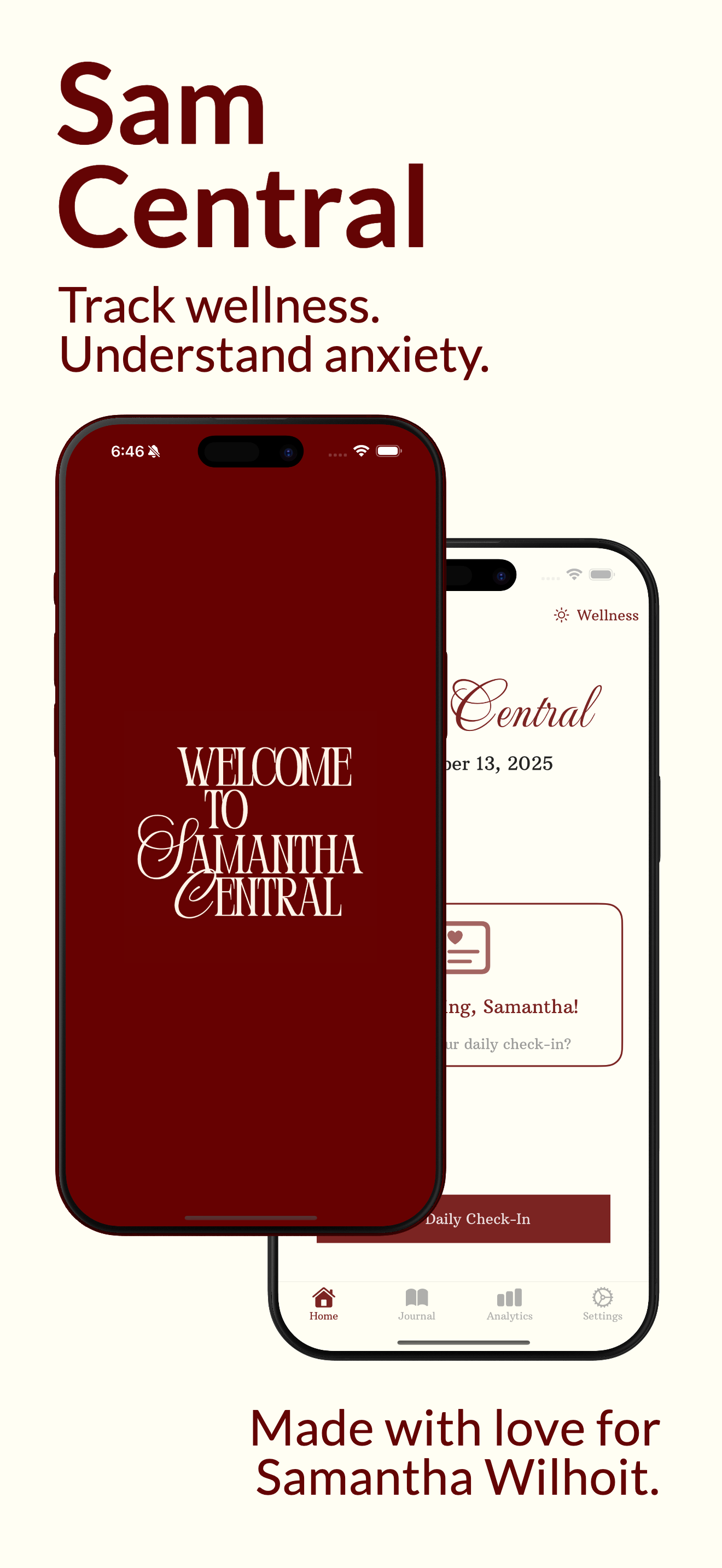
S amantha C entralJournaling with data-driven insights.
Track your wellness, navigate your anxiety, and spot patterns with data-driven insights.
A simple three-step process
A simple process: take our 5-minute daily check in, discover how it relates using our 54 chart visualizations, and generate insights with Sana.
01 / 03
Log your day in a few taps.
- Track mood, sleep, eating, stress, social wellness.
- Track progress on life goals.
02 / 03
Visualize your patterns.
- Discover trends in your wellness and anxiety.
- Assessment Tracking for progress monitoring.
03 / 03
Discover insights with Sana.
- Sana helps you discover insights and visualize your data.
- Personalize Sana's style and tone.
- Deep Research Mode for complex multi-variable analysis.
Check‑in Deep Dive
It starts with a daily check in.
- Track wellness factors (like mood, sleep, social wellness, eating, and stress), emotions, and life goals.
- Emotions and life goals are completely customizable.
- When enabled, cycle tracking mode tracks how other wellness factors are impacted with your cycle.
Three Modes
Going beyond your general wellness.
Sam Central offers Anxiety and Cycle Tracking modes, providing a more wholistic view of your wellness.
Wellness Mode
A simple daily check‑in that helps you understand your general wellness.
- Track wellness factors (like mood, sleep, social wellness, eating, and stress), emotions, and life goals.
- View life goal progress using iOS widgets.
Anxiety Mode
When anxious, a mindful anxiety check-in helps you stay grounded.
- Track anxiety attacks, contributing factors (like sleep and meals), causes, and trauma buttons.
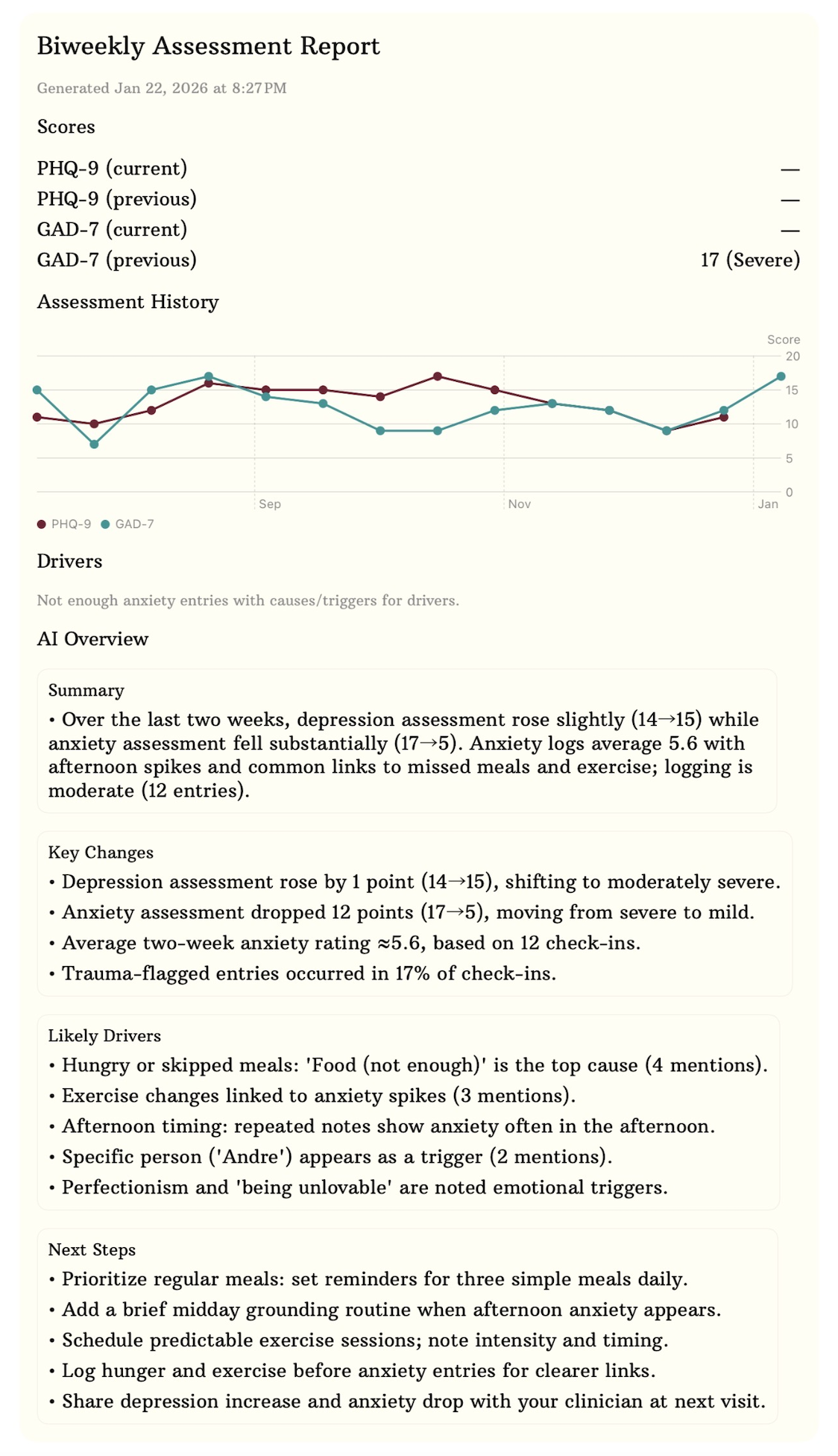
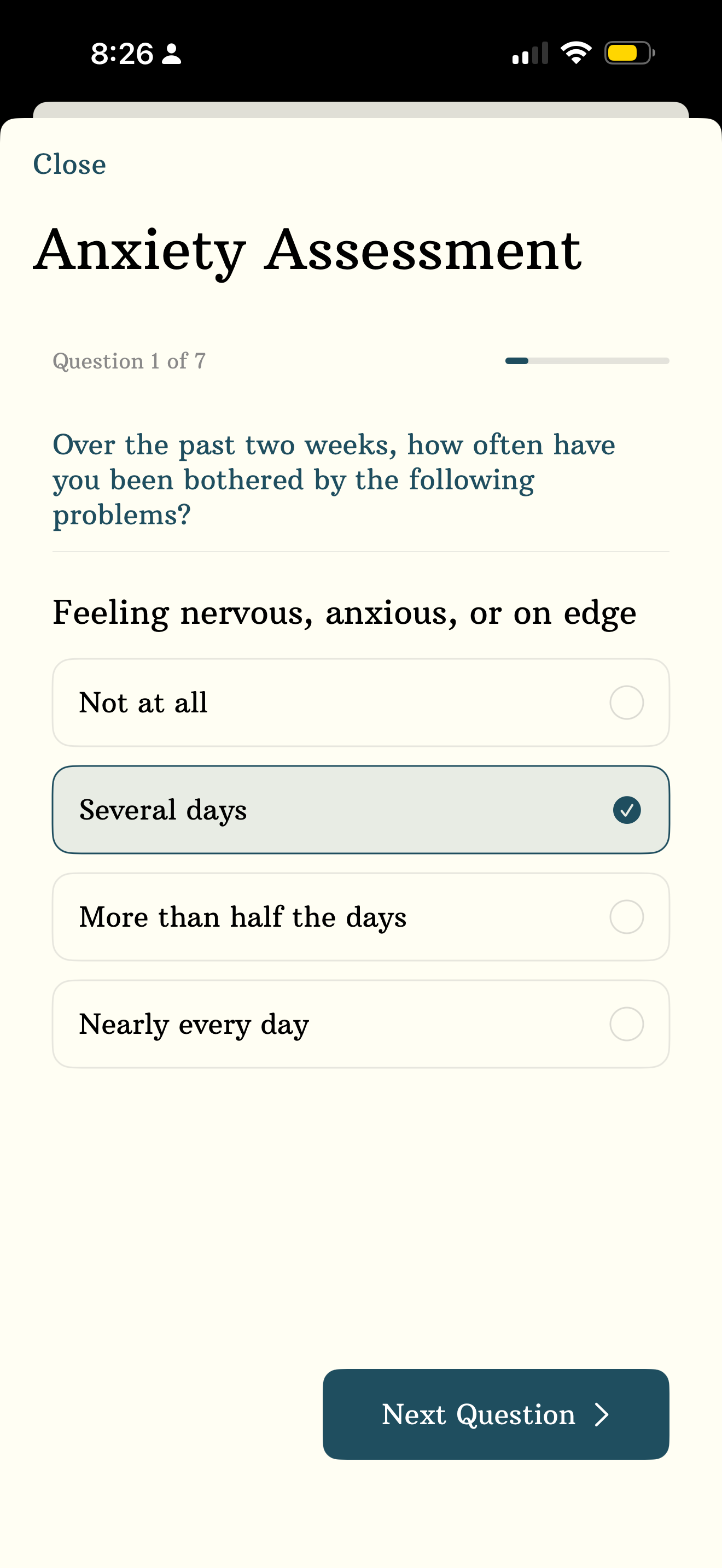
- Complete standardized PHQ-9 and GAD-7 assessments to monitor your progress.
Cycle Tracking Mode
A one-page check in integrated in wellness mode allows for a seamless journaling process.
- Track cycle length, flow, pain level, and other symptoms.
- Understand how your wellness factors and anxiety change with your cycle.
Anxiety & Depression Tracking
Track Anxiety and Depression with standardized assessments.
- Standardized PHQ-9 and GAD-7 assessments.
- Monitor trends with dedicated history visualizations.
- Generate provider-ready AI PDF reports.
Analytics
See the patterns you actually care about.
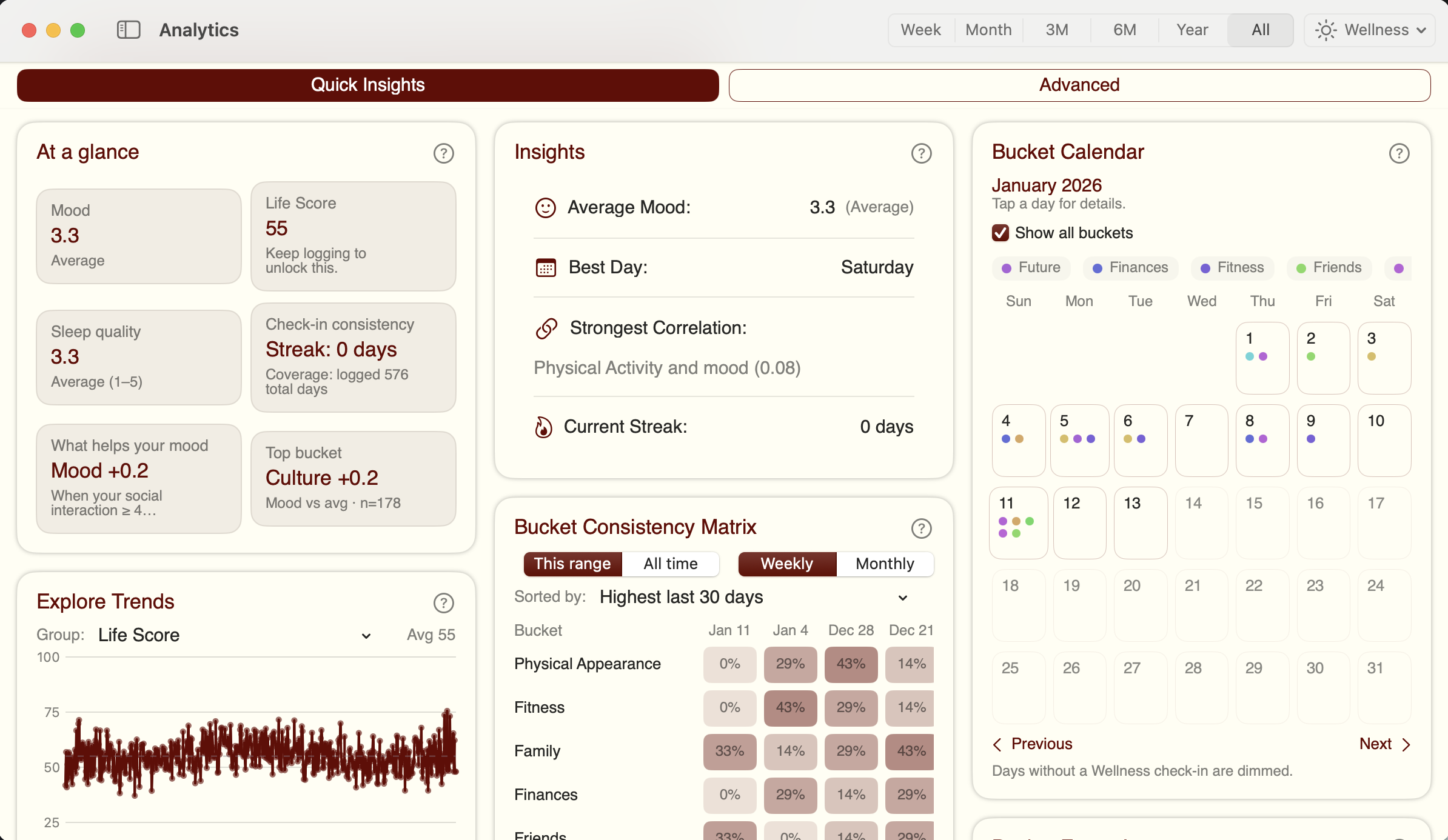
A few examples of the visual cards from your check‑ins — calm, clear, and easy to scan.
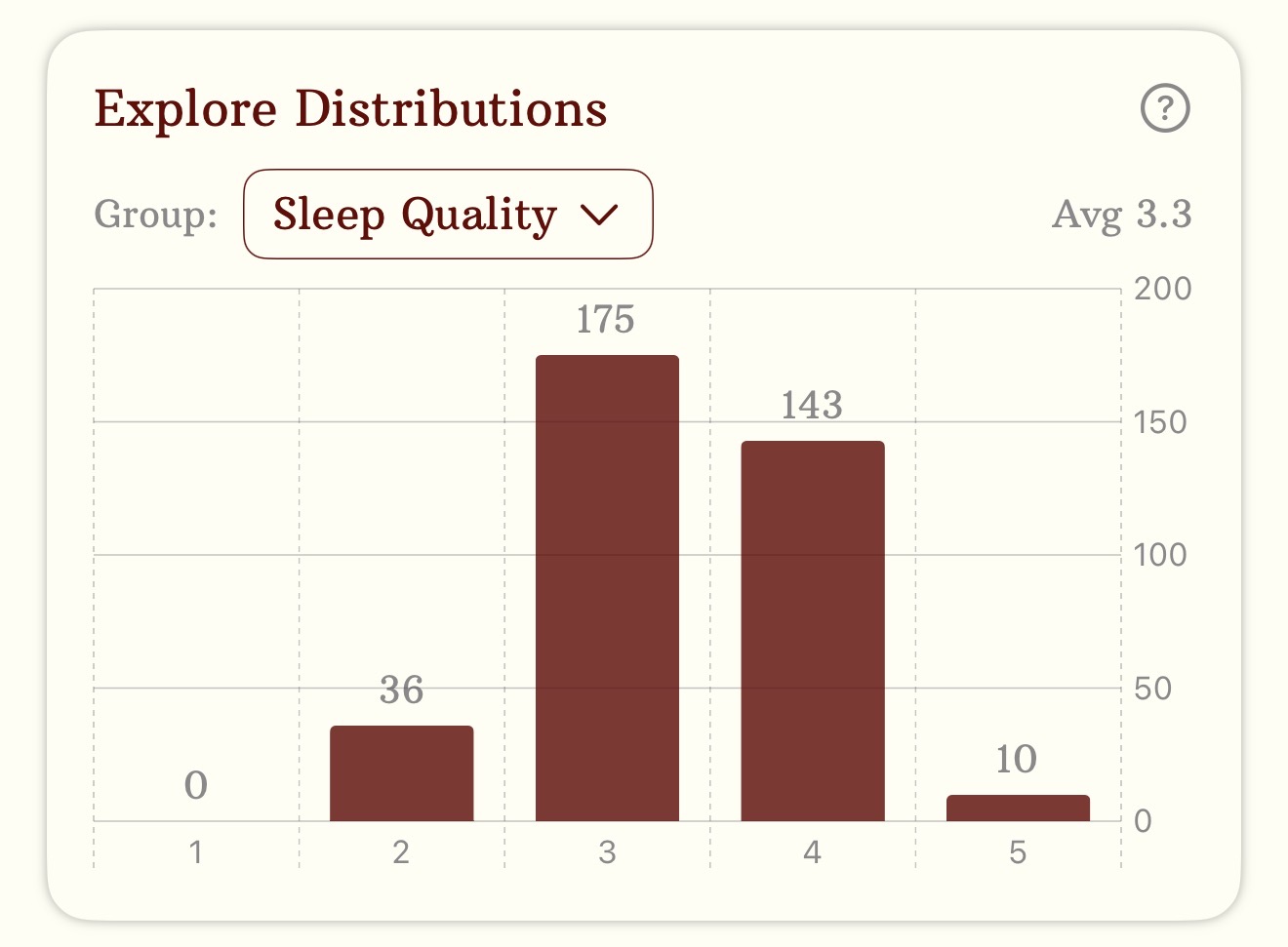
Explore Distributions
Shows distributions of wellness factors.
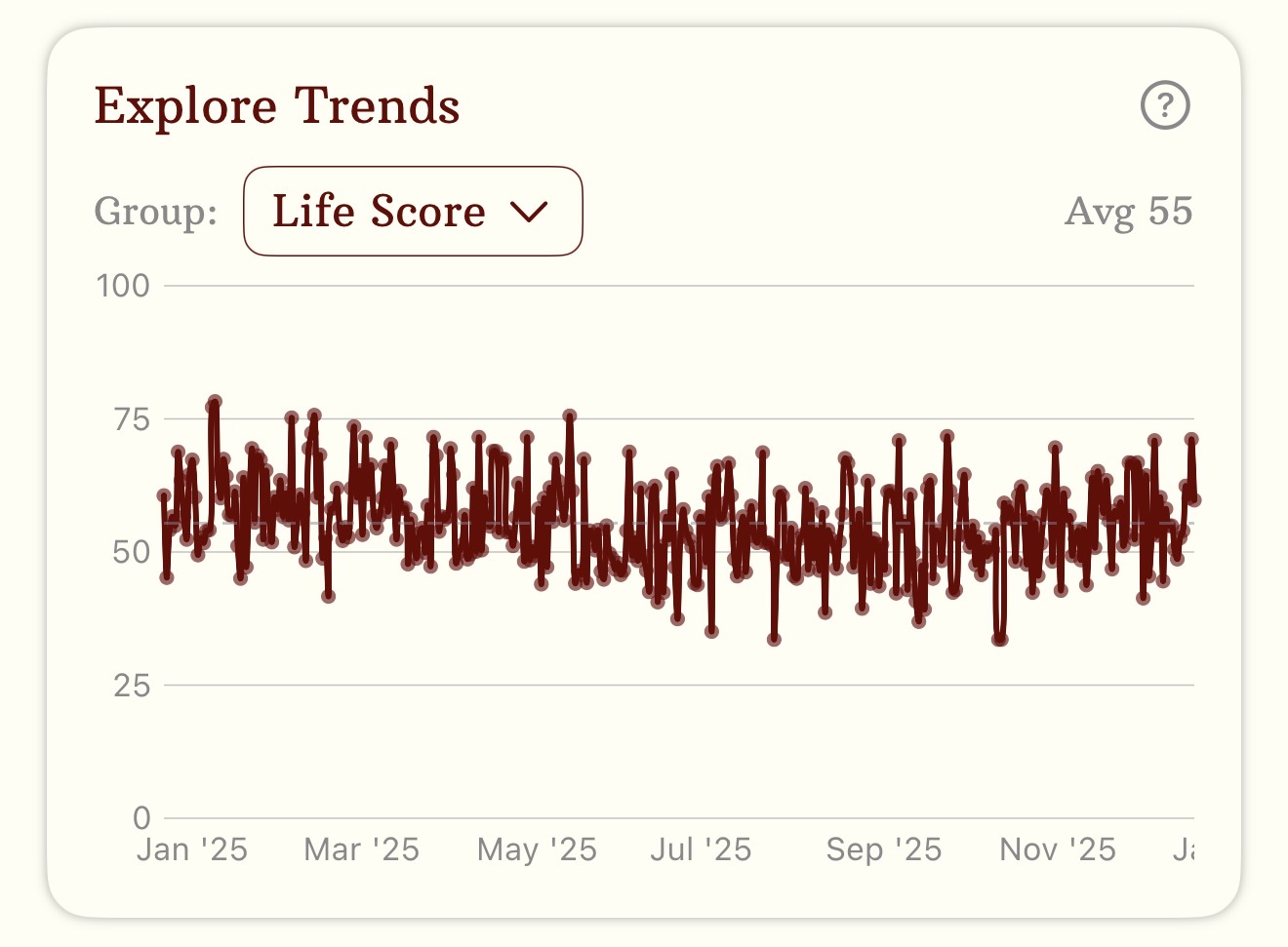
Explore Trends
Line graph of wellness factors.
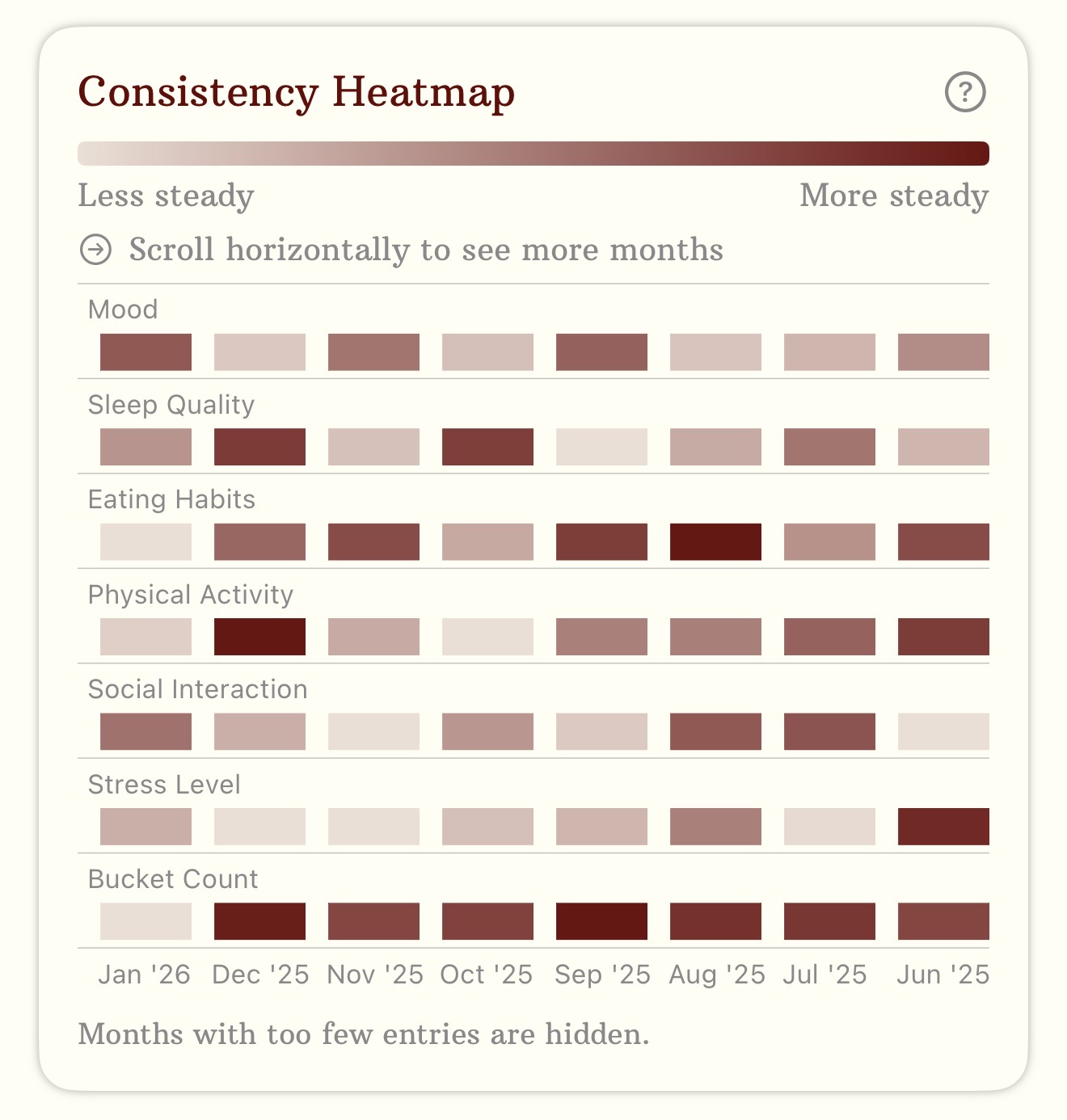
Consistency Heatmap
Shows how steady the different wellness factors are over time.
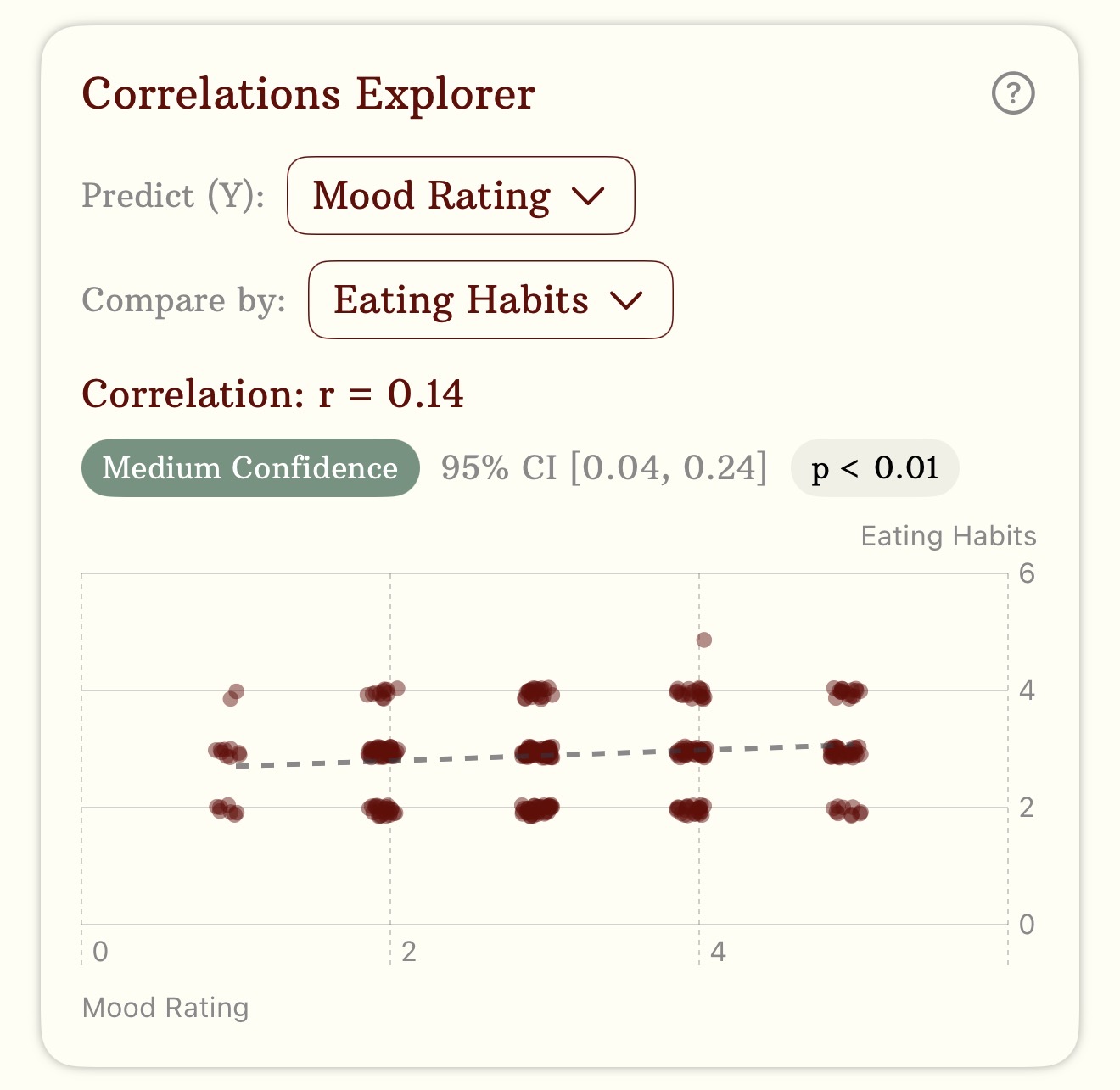
Correlations Explorer
Explore correlations between wellness factors with 95% CI, correlation coefficient, and p value.
Sana Use Case
Ask Sana when you want to dive deeper.
Use Sana to turn data visualizations into personalized insights.
Ask Sana a question
Curious how different parts of your wellness impact each other? Ask Sana!
Sana will ask before looking at your raw data
If Sana needs more than basic statistics to answer your question, she'll ask for more data.
Read your insights
Sana will get back to you with an answer based on your data. She'll create custom charts to help you visualize your data, and she'll generate insights to help you go even further.
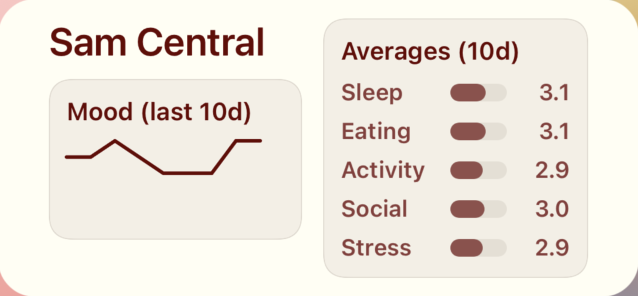
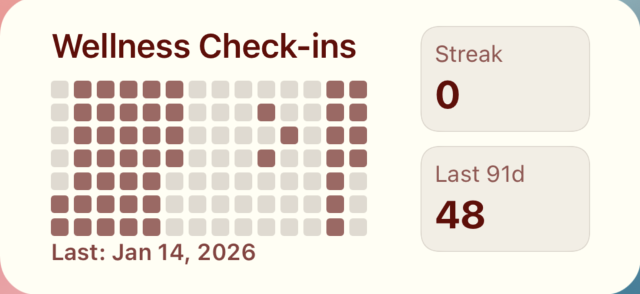
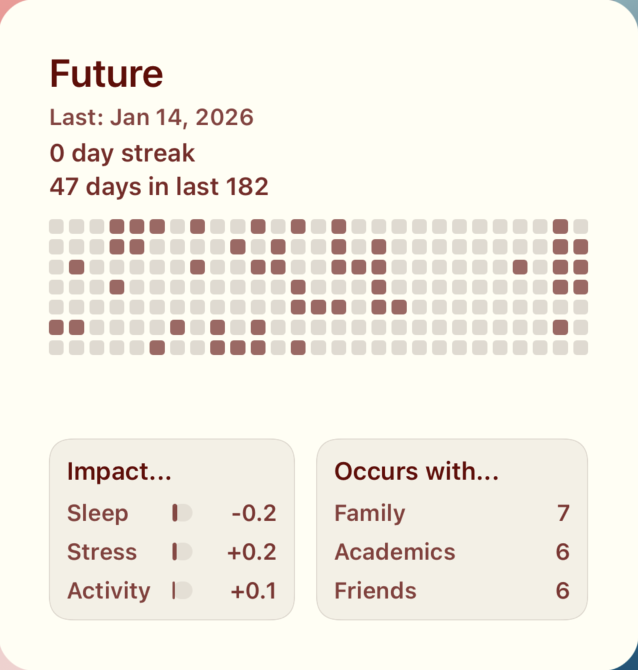
iOS Widgets
Now introducing Widgets!
A widespread set of widgets to help you visualize your data quickly.


Siri Triggers
Have a question? Ask Siri.
Get insights without opening the app. Note that this requires having Sam Central open in the background.
Simply say "Hey Siri, ask Sana in Sam Central" and ask your question. Siri will borrow Sana's insights, and get back to you with personalized advice.
Summarize my health trends from the past week.
"Over the past week, your mood averaged around 3.4/5, with a gentle downward trend across entries. Your anxiety averaged about 5.7/10 and also showed a gradual decrease as the week progressed. Sleep and social connection were the strongest mood drivers, with sleep contributing most to mood stability. Quick actions: aim for a consistent bedtime with a 15-minute wind-down, and try reaching out to one supportive person each day to help both mood and anxiety."
What bucket should I work on today?
"Today, focus on the Academics bucket. Your data shows that working on academics is tied to a meaningful mood boost. Quick action: pick one concrete academic task and complete it in a 25-minute block with a 5-minute break. If anxiety rises, pause for a 1-minute breathing reset or reach out to one supportive person."
How does sleep impact my anxiety?
"Sleep is a strong mood driver for you and accounts for about 54% of mood-related improvements. When sleep is steadier, your anxiety trend shows a gradual decline over time (slope about -0.22 per entry). Poor sleep can coincide with higher anxiety. Quick action: aim for a consistent bedtime with a 15-minute wind-down to support sleep and anxiety management."
Shortcuts & Automations
Power up with Automations.
Integrate Sam Central into your existing workflows with powerful Shortcut blocks and personal automations.
Therapy Prep
Send depression & anxiety report to therapist before session.
Daily Routine
Open wellness check-in at a certain time, everyday, as part of a daily routine.
Weekly Insights
Ask Sana to analyze your weekly wellness patterns every Sunday evening and send the summary to your Notes app.
macOS
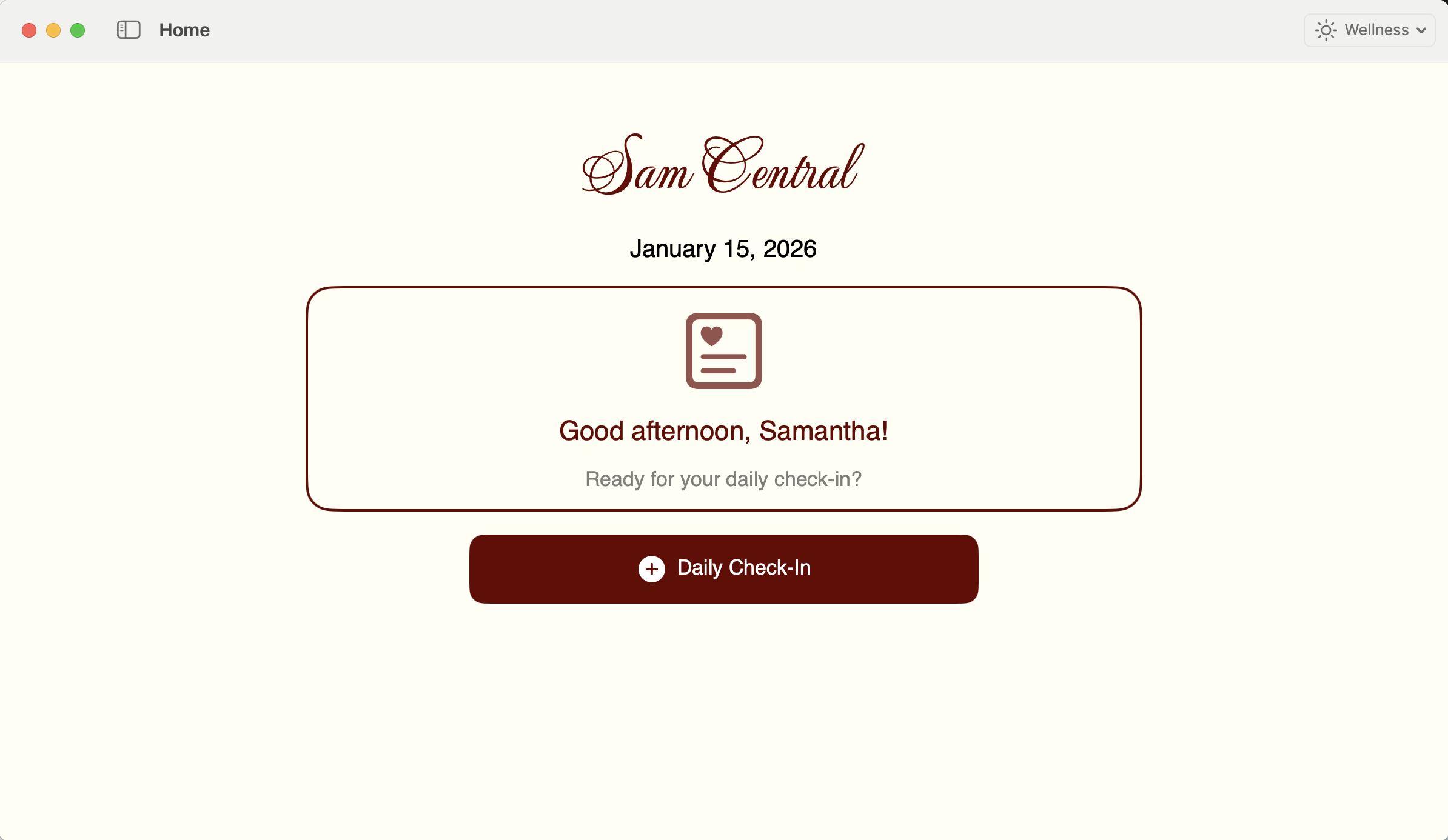
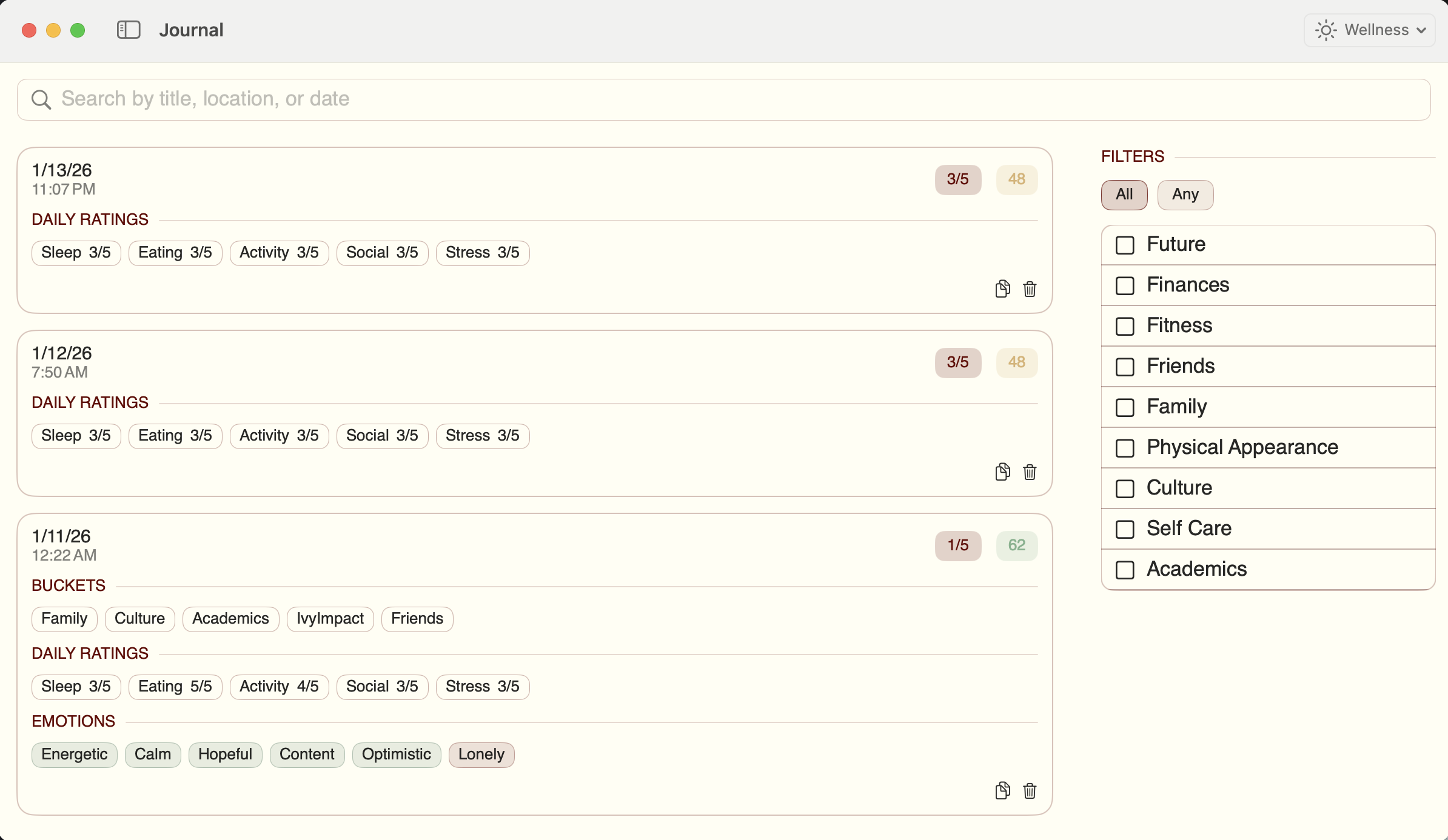
The same experience, optimized for Mac.
Review patterns on a bigger screen, write longer notes, and keep your day organized when you’re at your desk.
- A clean, spacious layout for trends and comparisons.
- Faster typing for notes, tags, and reflections.
- Everything stays consistent across iPhone and Mac.
Privacy isn’t a setting. It’s the product.
Sam Central is built to minimize data exposure and maximize user control.
User control + consent
Delete your data anytime and confirm before exporting or sharing sensitive summaries.
Encryption
Data is encrypted in transit (TLS), and stored data is encrypted at rest.
No training on your data
We do not opt in to share API inputs/outputs for training; OpenAI states API data isn’t used for training by default.
Retention transparency
OpenAI may retain prompts/responses in abuse-monitoring logs for up to 30 days; we minimize app logging and avoid storing full prompts in logs.
Questions, answered.
Have a question not listed? Contact hamzeh@alumni.harvard.edu with questions or suggestions.
No. We don’t sell personal data or use it for advertising.